 ChatVeil
Blur everything that matters
Messages, chat previews, photos, videos, stickers, profile pictures, contact names, group info, online status, the typing box and search.
ChatVeil is a free privacy extension for Chrome that blurs WhatsApp Web messages, chats, photos and names, so people near your screen can't read them. Hover to reveal. Everything stays on your computer.
Hover any blurred item to peek. Hold F2 to see everything. This is a live simulation.
No sign-up, no setup wizard. ChatVeil starts protecting WhatsApp Web the moment it's installed.
Install it free from the Chrome Web Store. It asks for only one permission: storage, to remember your settings.
Go to web.whatsapp.com. Messages, previews, photos and profile pictures are blurred right away.
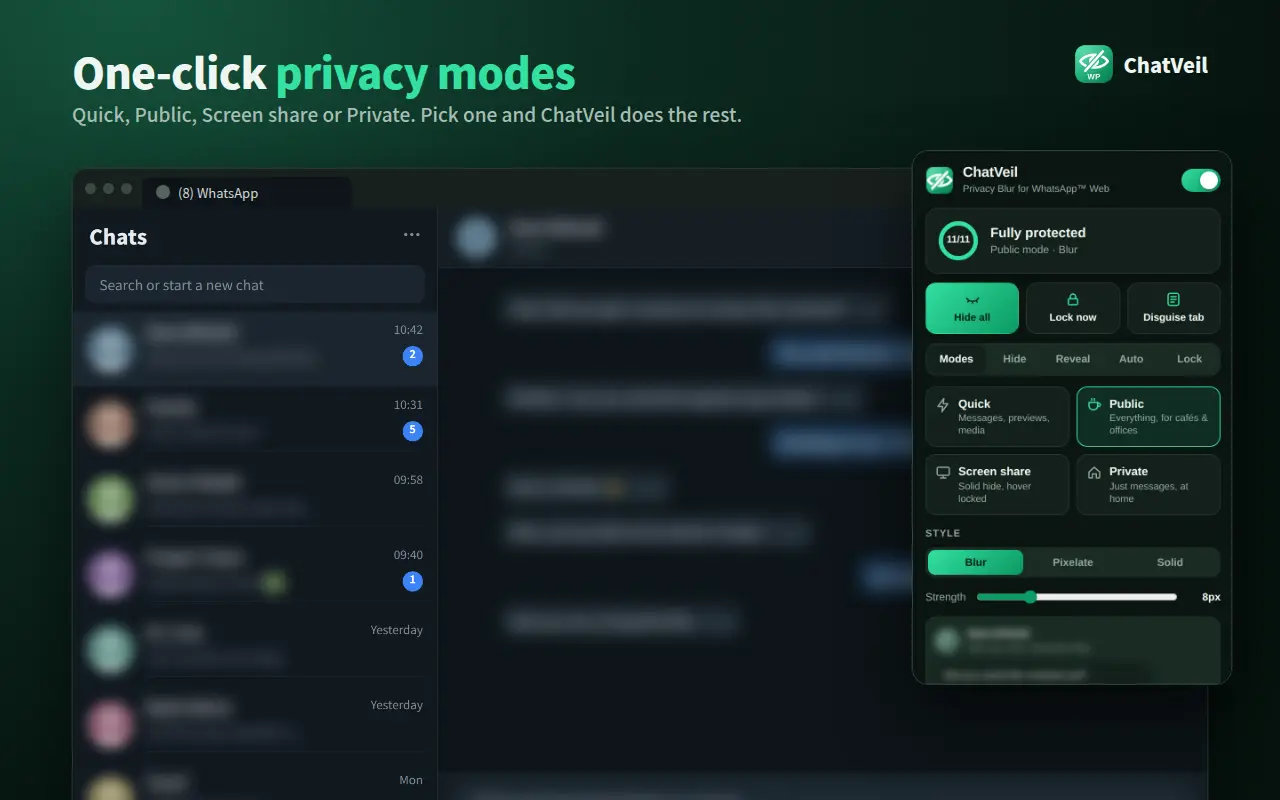
Hover to peek at a message. Choose Quick, Public, Screen share or Private from the toolbar icon, or press Alt+X.
Built for people who use WhatsApp Web in cafés, offices, classrooms and video calls.
Messages, chat previews, photos, videos, stickers, profile pictures, contact names, group info, online status, the typing box and search.
Reveal one item by hovering, use click-to-reveal on touchscreens, or hold F2 to see everything for a moment.
Quick, Public, Screen share and Private presets, plus a custom mix. Choose Blur, Pixelate or Solid, strength 4–20px.
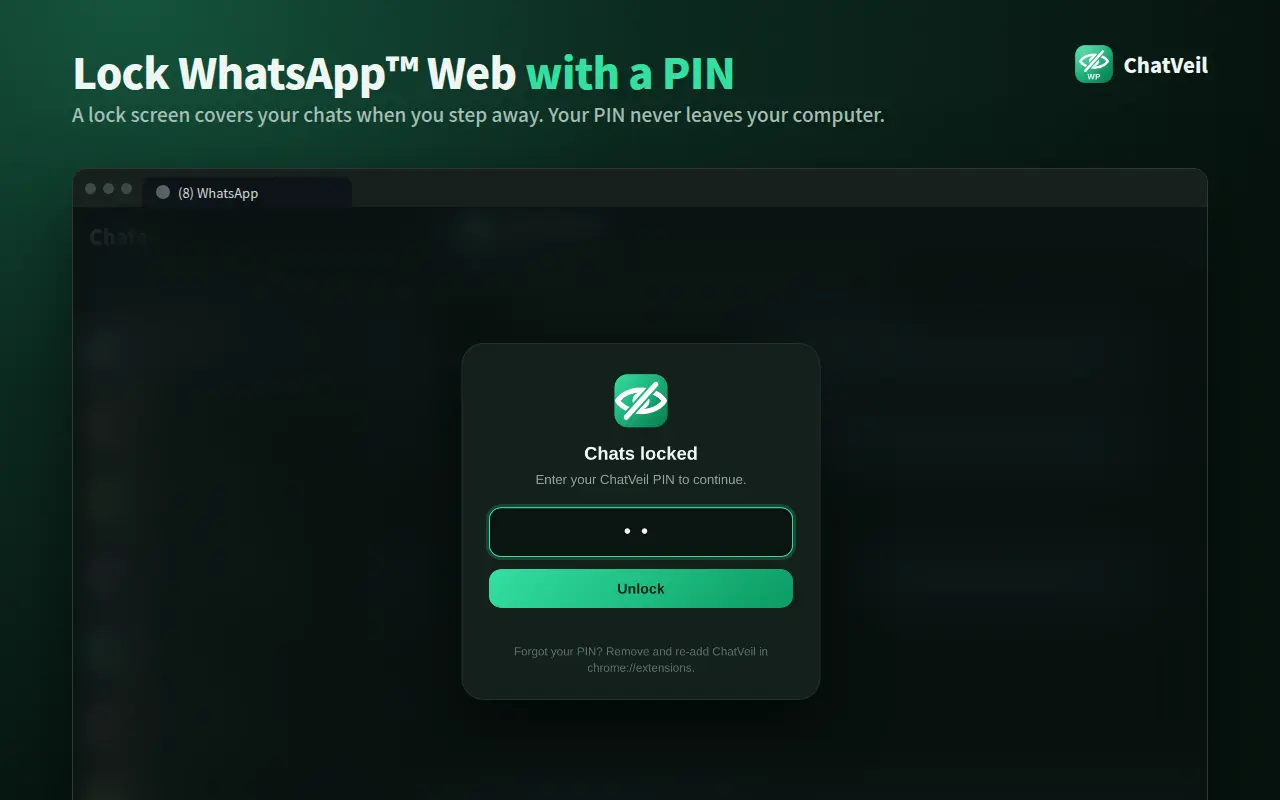
Cover WhatsApp Web with a lock screen when it opens, after you're idle, or instantly with Alt+Shift+L.
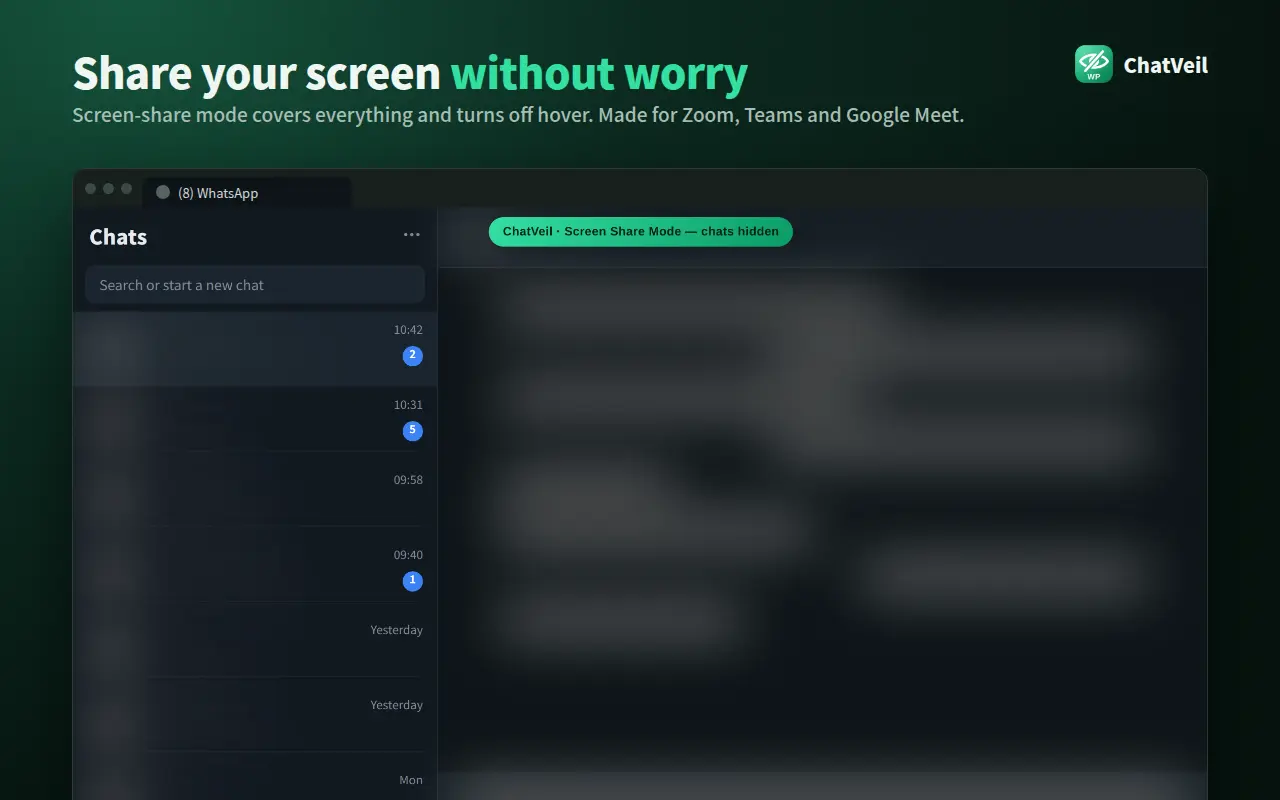
Solid cover with hover turned off, so nothing leaks during Zoom, Teams or Google Meet. A banner confirms it's on.
Someone walks up? Press Alt+Shift+X to hide everything instantly. Press again to restore your settings.
Hides chats automatically when the window loses focus, the tab is hidden, or you've been away for 10 seconds to 5 minutes.
Turn on Public mode during work hours, for example weekdays 9:00–18:00, and relax automatically after.
Rename the "(3) WhatsApp" tab to "Inbox" and swap its icon, so unread counts don't give you away.


ChatVeil only changes how WhatsApp Web looks on your screen. It never reads, stores or sends your messages anywhere.
| Permission | Why it's needed |
|---|---|
| storage | Remembers your settings (mode, blur style, schedule, PIN hash) on your own computer. |
| web.whatsapp.com | Lets ChatVeil add the blur effect to WhatsApp Web. It has no access to any other website. |
| Not requested | History, tabs, cookies, downloads, clipboard, other sites, network access. |
Install ChatVeil from the Chrome Web Store and open web.whatsapp.com. Messages, chat previews, photos and profile pictures are blurred automatically. Hover over anything to read it, click the ChatVeil icon to pick a mode, or press Alt+X to turn protection on or off.
Choose Screen Share mode in ChatVeil before your Zoom, Teams or Google Meet call. It covers every chat, name and photo with a solid block and turns off hover-reveal, so nothing slips out if your mouse passes over a chat. Hold F2 for a quick look; a banner confirms the mode is on.
Yes. Open ChatVeil → Lock and set a 4–8 digit PIN. WhatsApp Web then shows a lock screen when it opens, after you're idle, or when you press Alt+Shift+L. The PIN is stored only as a salted SHA-256 hash on your own computer. It's a privacy screen for people nearby, not a replacement for locking your computer.
No. ChatVeil only adds a visual blur to the WhatsApp Web page inside your browser. It never stores, copies or sends your messages, makes no network requests, and has no analytics. It uses one permission (storage, to remember your settings) and only runs on web.whatsapp.com.
Yes. Turn on Auto Privacy and ChatVeil hides everything when the window loses focus, the tab is hidden, or you've been inactive for 10 seconds to 5 minutes, then restores your view when you return. Alt+Shift+X is an instant Emergency Hide.
Yes. ChatVeil is completely free, with no ads, no sign-up and no premium tier.
Google Chrome 102 or newer, plus Chromium-based browsers that install from the Chrome Web Store, such as Microsoft Edge and Brave. It works on WhatsApp Web (web.whatsapp.com), not the WhatsApp desktop or phone apps.
No. ChatVeil is an independent tool and is not affiliated with, endorsed by or sponsored by WhatsApp LLC or Meta Platforms, Inc. WhatsApp is a trademark of WhatsApp LLC.

Add ChatVeil to Chrome in one click. Free forever, 100% local, no account needed.
Add to Chrome, it's free