 Flight Price Tracker
Free flight price tracker for Chrome
Every seller for your flight. Cheapest first.
The same flight often costs less through a travel agency than through the airline. Flight Price Tracker lines up every seller for your trip, shows the lowest price in your currency, and tells you when it drops.
- Free, no account
- Prices in your currency
- Data stays on your device
How it works
Three steps to the cheapest fare
No new website to learn. It works from Chrome's toolbar, and on flight results pages you are already looking at.
Enter your trip
Pick where you are flying, your dates, travelers and cabin. Or open the extension on a results page and your search is filled in.
See every seller
Within seconds you see what the airline and each travel agency charge for the same flight, lowest first, in your currency.
Book or track
Open the cheapest offer to book directly with the seller, or track the route and get an alert when the price falls.
Features
Everything you need to pay less for a flight
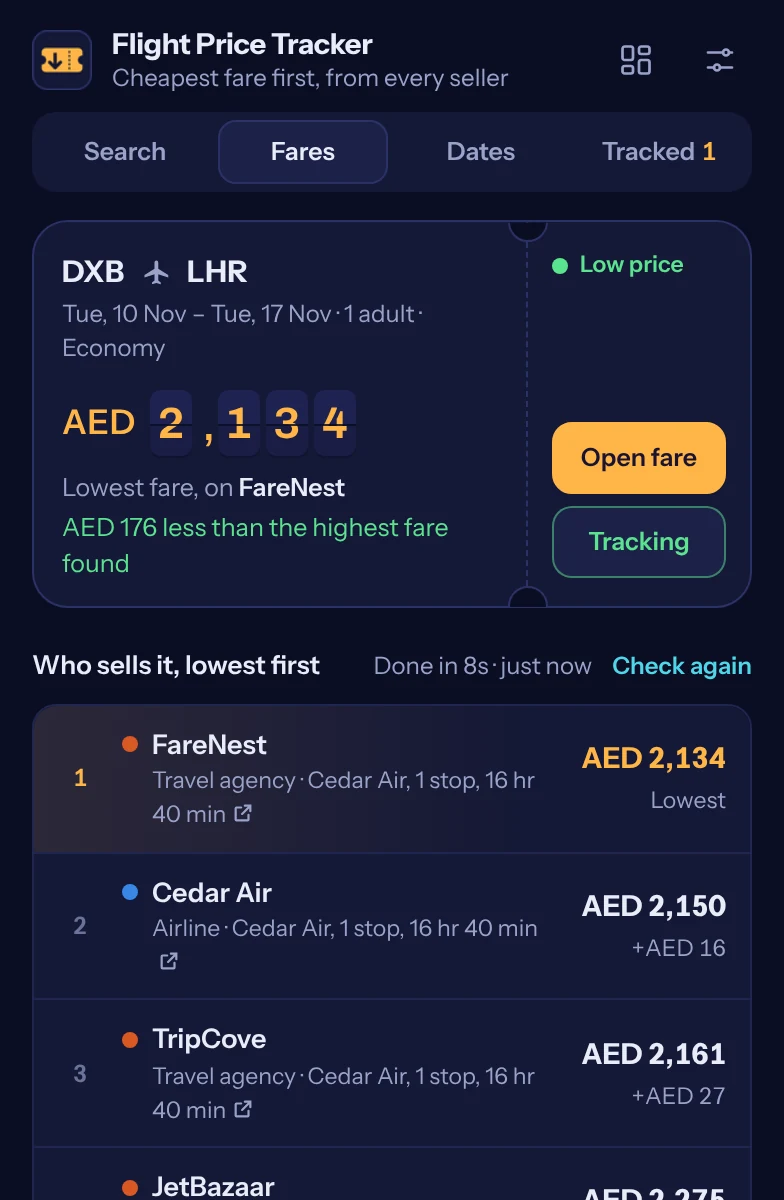
Every seller for the same flight, cheapest first
Airlines and travel agencies sell the same seat at different prices. The board ranks them all, so the cheapest offer is always on top.
- Airline and agency prices side by side
- The saving against the highest price
- A clear verdict: low, typical or high for the route
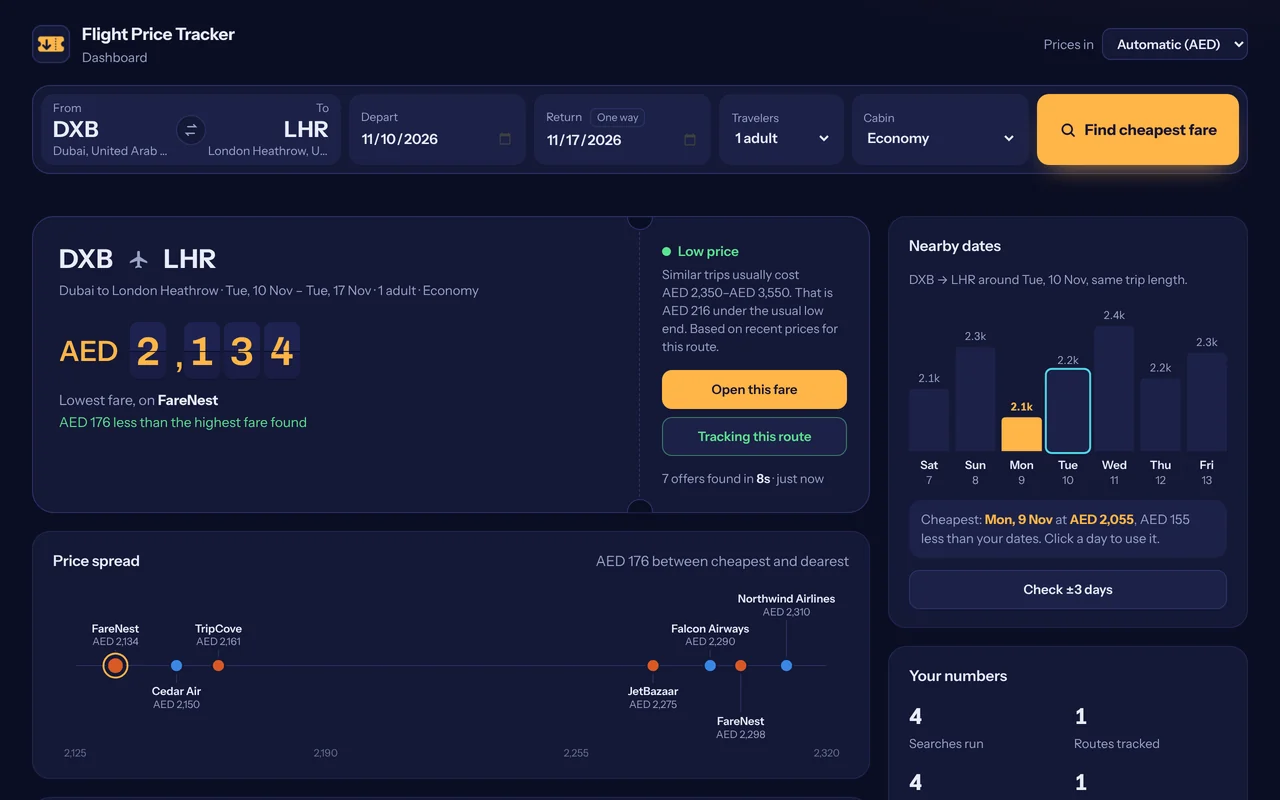
A full dashboard for the bigger picture
Open the dashboard in its own tab to compare offers on one price line, scan every flight, check nearby dates and follow your tracked routes.
- Price spread chart across all sellers
- Every flight for your search, with stops and duration
- Recent searches you can re-check in one click
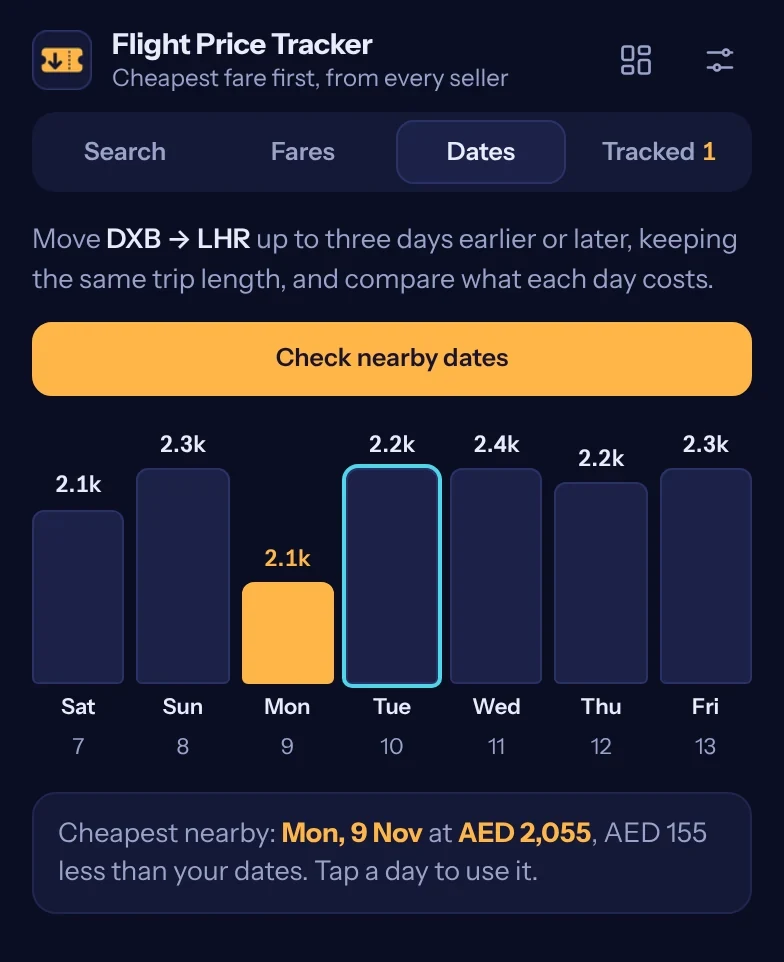
Find a cheaper day nearby
Move your trip up to three days earlier or later and see what each day costs, keeping the same trip length. Tap a day to use it.
- Seven days at a glance
- The cheapest day highlighted
- How much you save against your dates
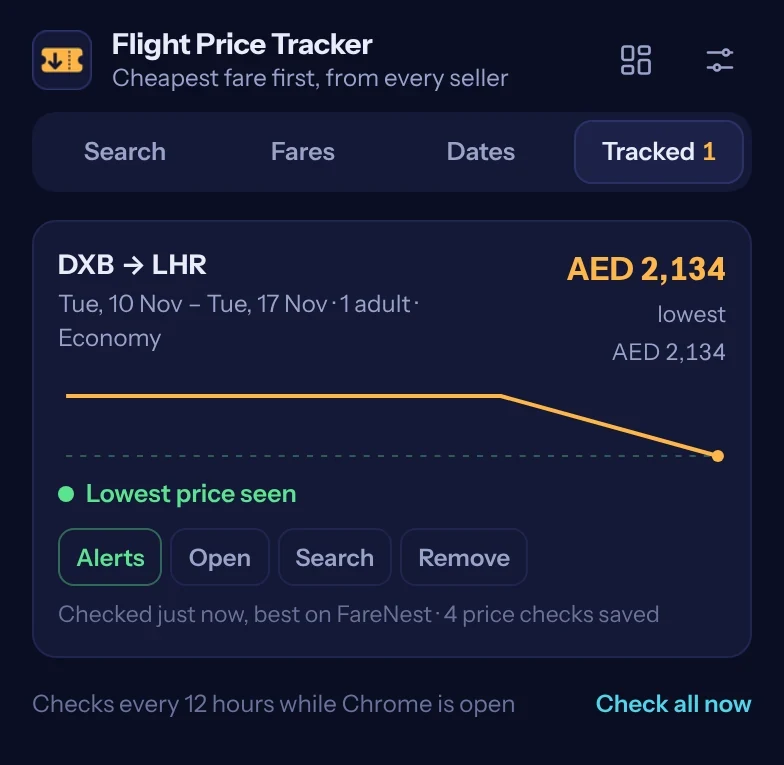
Price-drop alerts while you wait
Track a route and it is re-checked in the background every 6, 12 or 24 hours while Chrome is open. When the price falls by the amount you choose, you get a notification.
- Price history chart for each route
- "Lowest price seen" when it is time to book
- Prices in your own currency, automatically
Why use it
Stop checking sites one by one
Opening tab after tab and copying prices takes time and still misses sellers. Here is the difference.
| Checking sites by hand | Flight Price Tracker | |
|---|---|---|
| Sellers compared | The few sites you remember to open | The airline and every agency listed for the flight |
| Time | Several minutes per search | First prices in a few seconds |
| Currencies | Mixed, you convert in your head | All prices in your currency |
| Is it a good price? | You guess | Low, typical or high for the route |
| Price changes | You check again tomorrow | An alert when it drops |
Privacy
Your trips stay yours
Prices are gathered in your own browser. There is no account to create and no server that stores your searches.
FAQ
Questions, answered
Is Flight Price Tracker free?
Yes. The extension is free, has no ads and needs no account.
Where do the prices come from?
For each search the extension reads Google Flights in your own browser, including the booking options that list what the airline and each travel agency charge for the same flight. It then ranks them, cheapest first.
Does it book flights for me?
No. It shows you the offers and opens the one you choose. You book directly with the airline or agency, on their site.
Why can the price change when I book?
Airfares change often, and baggage or payment fees differ between sellers. The price shown is what was listed at the time of the check, including taxes for the travelers you selected.
Which currency are prices shown in?
Your own currency, detected automatically from your computer's time zone. You can choose another currency in the settings or on the dashboard at any time.
Which browsers does it work in?
Google Chrome on Windows, macOS, Linux and ChromeOS, and other Chromium browsers that can install extensions from the Chrome Web Store.
How do price-drop alerts work?
Choose Track price on any search. The route is re-checked in the background every 6, 12 or 24 hours while Chrome is open, and you get a Chrome notification when the price falls by the amount you set.
I need help or found a problem.
Visit the support page or email saqibsohaib48@gmail.com.
Find the cheapest seller for your next flight
Free for Chrome. Install it in one click and start comparing.
Add the free Chrome extension