⚡
One-second quick notes
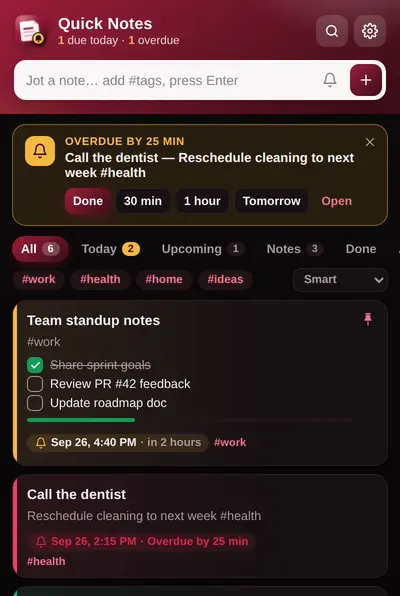
Open the popup with Ctrl+Shift+U, type, press Enter. Your note is saved instantly, with auto-save and draft recovery.
Quick Notes & Reminders is a free notepad for Chrome with sticky notes, to-do checklists and reminders. Jot a note in one second, turn it into a checklist and get a notification right on time. Everything stays on your device.
Quick Notes & Reminders is a free Chrome notes extension that combines sticky notes, a quick notepad, to-do checklists and reminders in one popup. It saves notes only in your browser's local storage, so it needs no account, sends no data to any server and works offline. Reminders show as Chrome notifications with Done and Snooze buttons, and can repeat daily, on weekdays, weekly or monthly.
A fast notepad for Chrome with real reminders, checklists and privacy built in.
Open the popup with Ctrl+Shift+U, type, press Enter. Your note is saved instantly, with auto-save and draft recovery.
Chrome notifications with a soft chime. One-tap presets: in 1 hour, tonight, tomorrow, next week, or any date and time.
Repeat daily, on weekdays, weekly or monthly. Great for bills, meds, reports and habits.
Turn any note into a to-do list. Tick items off right from the list and watch the progress bar fill up.
Organize sticky notes with #tags, 5 colors and pins. Filter by tag and search everything instantly.
Floating note button on every website, Ctrl+Shift+M, or right-click to save text or a page link.
See how many reminders are due today or overdue at a glance, without opening anything.
Signature black & maroon design with dark, light and system modes, plus 9 accent colors.
No account, no analytics, no ads, no servers. Export to JSON or Markdown any time. Your notes are yours.
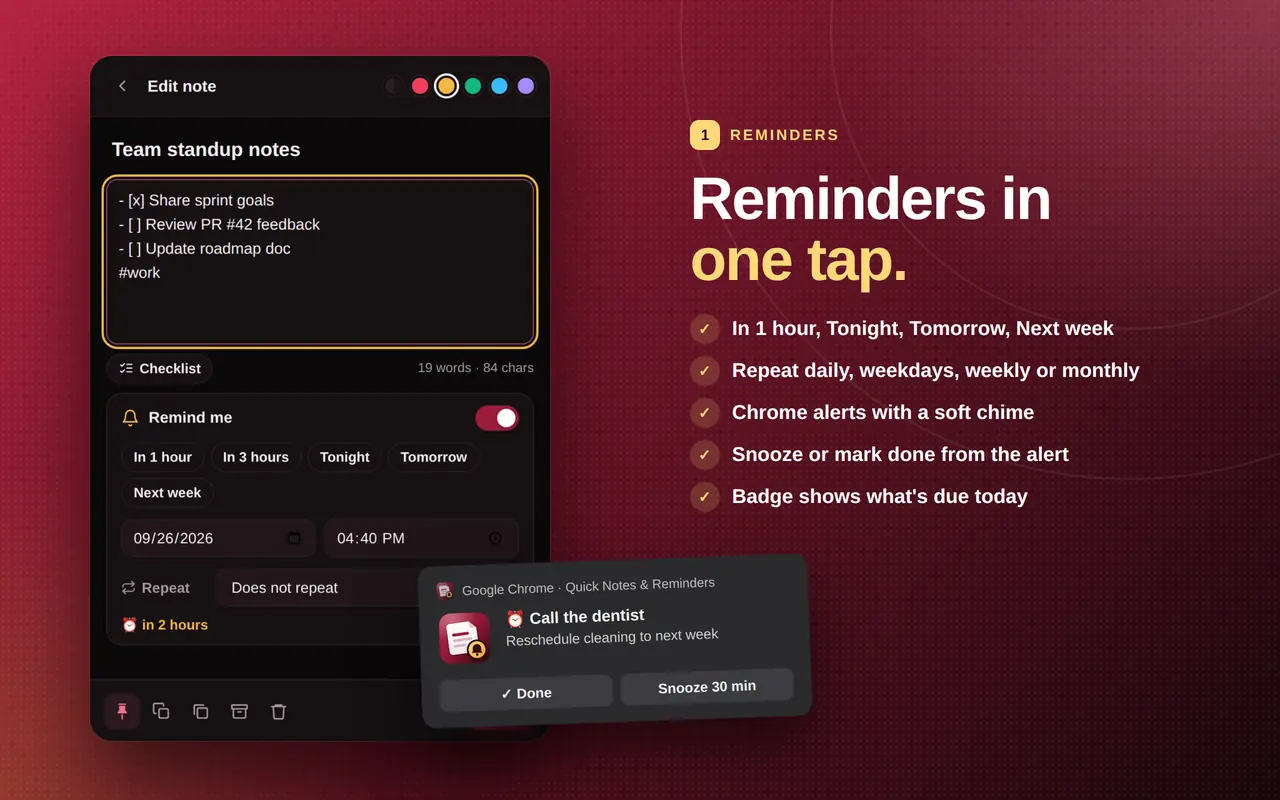
Type what you need to remember, tap the bell and pick a time. When it's due, Chrome shows a notification with Done and Snooze buttons, even if the popup is closed.
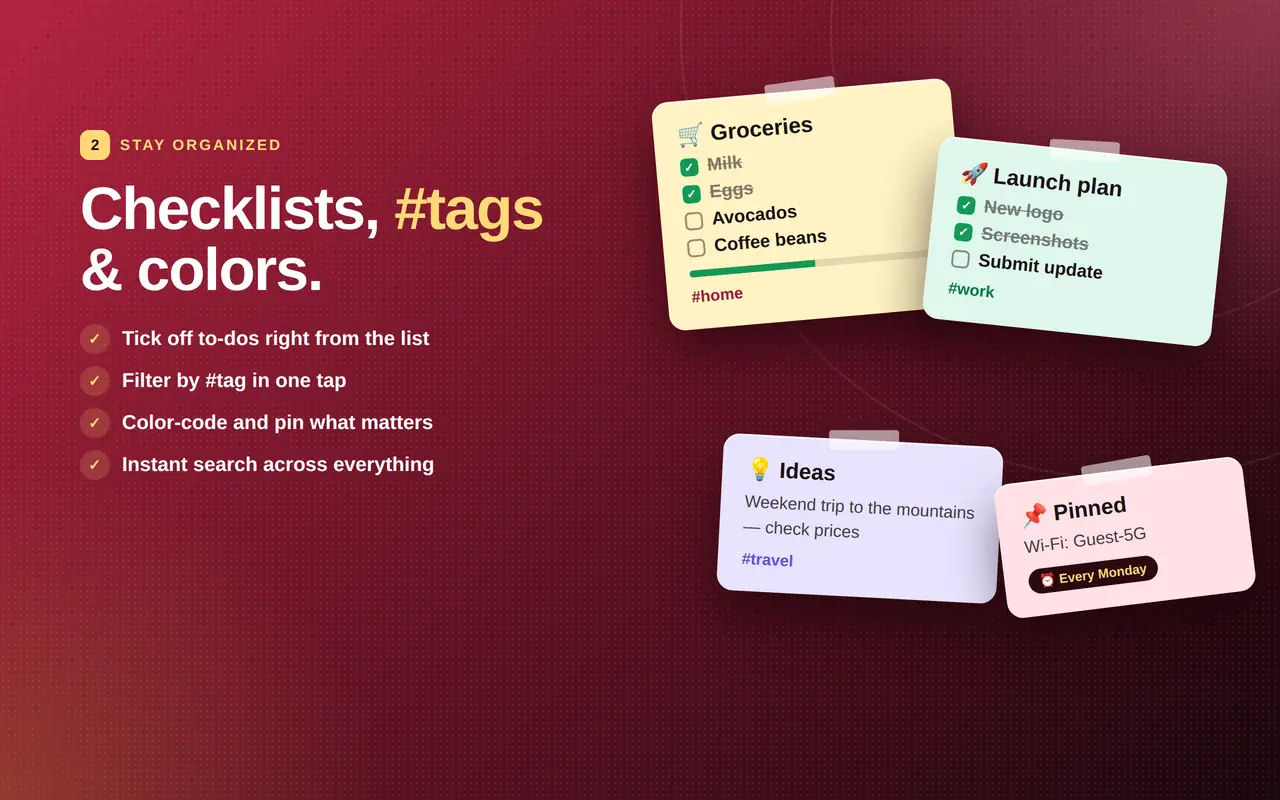
Groceries, packing lists, project to-dos: add checklist items with one click and tick them off from the list. Color-code notes, pin the important ones and filter by #tag.
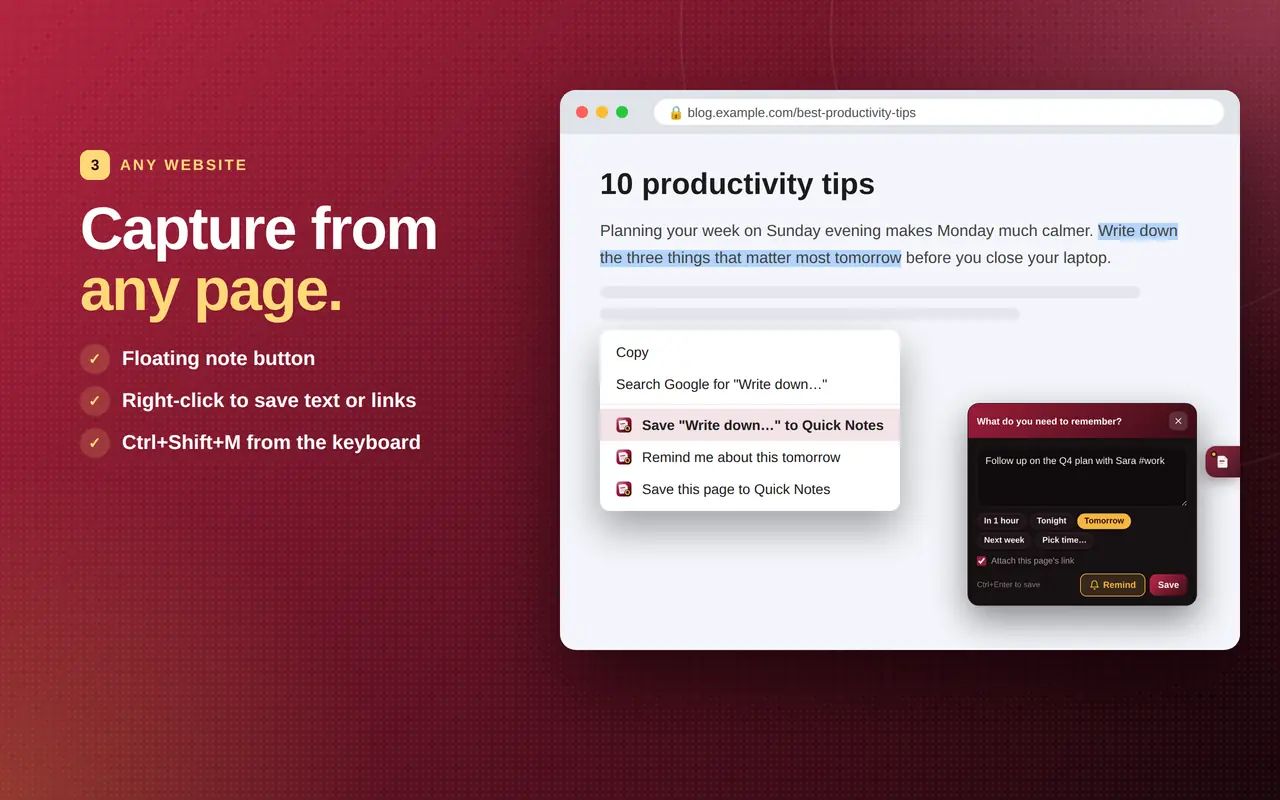
Highlight text and right-click to save it, save the whole page link, or ask to be reminded about it tomorrow. The floating button opens a quick-note panel without leaving the page.
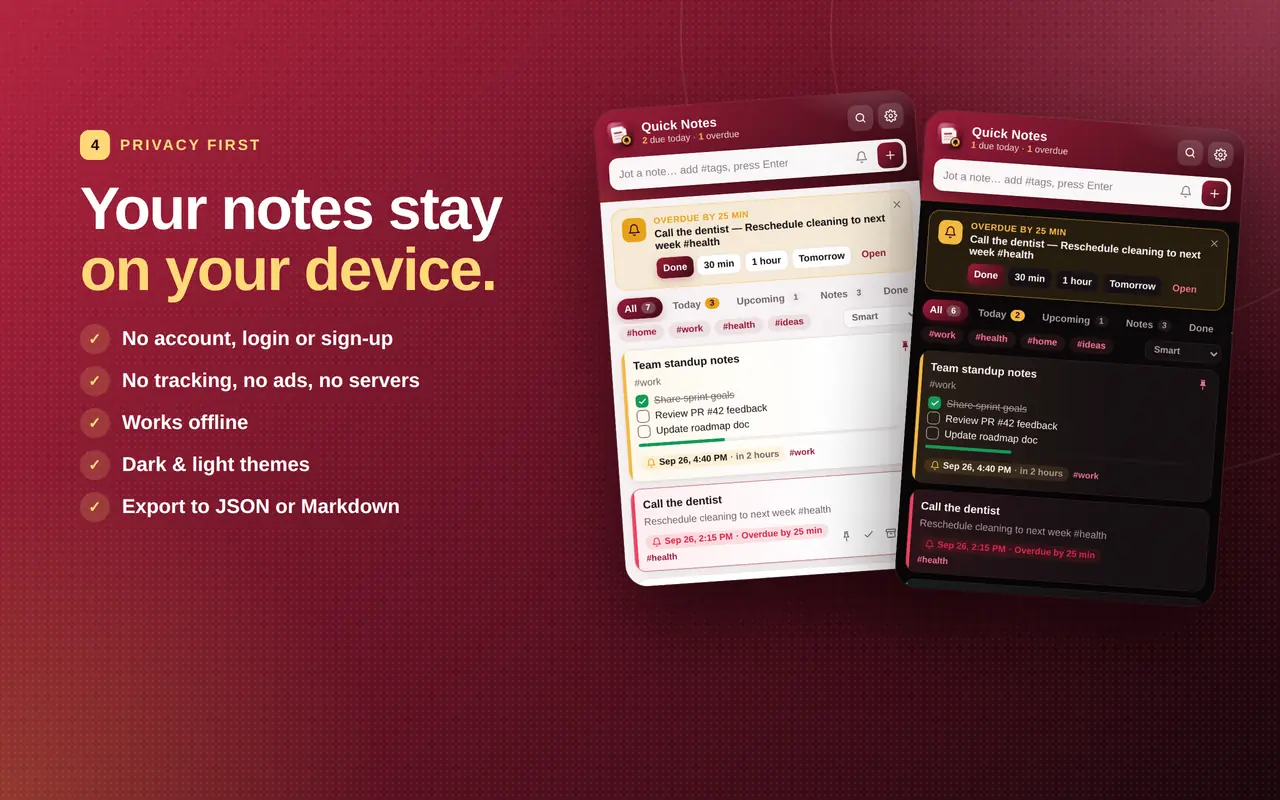
Quick Notes & Reminders makes no network requests. There is no account to create, nothing to sync and nothing to leak. It works offline, on planes and on locked-down work laptops.
Install Quick Notes & Reminders free from the Chrome Web Store, then pin it from the puzzle-piece menu.
Click the icon or press Ctrl+Shift+U. Type and press Enter. Add #tags if you like.
Tap the bell, pick a time, and Chrome will notify you. Snooze it or mark it done from the notification.
Both are free. Choose Quick Notes if you want private, local notes that open instantly inside Chrome.
| Feature | Quick Notes & Reminders | Google Keep |
|---|---|---|
| Account required | No | Yes (Google account) |
| Where notes are stored | Only on your device | Google's cloud |
| Works offline | Yes, always | Partly |
| Reminders with snooze | Yes | Yes |
| Monthly repeating reminders | Yes | Yes |
| Checklists | Yes | Yes |
| Floating note button on every web page | Yes | No |
| Sync to phone | No (export/import instead) | Yes |
| Price | Free | Free |
Looking for sticky notes on a Chromebook? Quick Notes & Reminders gives every Chromebook a notepad, sticky notes and reminders right in the toolbar, and it works the same in Chrome on Windows, macOS and Linux.
Pin Quick Notes to the Chrome toolbar and press Ctrl+Shift+U from anywhere. Works offline, perfect for school Chromebooks.
A lighter alternative to Microsoft Sticky Notes that lives inside Chrome, next to the pages you're working on.
Same shortcuts (Cmd+Shift+U on Mac), same notes, same privacy. No account on any platform.
Quick Notes & Reminders is a free Chrome extension for sticky notes, a quick notepad, to-do checklists and reminders. It stores every note locally in your browser, needs no account and works offline.
Yes. It is completely free, with no ads, no paid plan and no in-app purchases.
No. Install the extension from the Chrome Web Store and start typing. There is no sign-up, login or email required.
Notes are stored only on your device using Chrome's local extension storage (chrome.storage.local). The extension makes no network requests, so nothing is sent to any server.
Open Quick Notes from the toolbar (Ctrl+Shift+U), type your note, tap the bell and choose In 1 hour, Tonight, Tomorrow or Next week, then press Enter. Chrome shows a notification with Done and Snooze buttons when it is due.
Yes, if you want notes that stay private on your computer. Google Keep requires a Google account and stores notes in Google's cloud. Quick Notes & Reminders needs no account, keeps notes on your device, and adds a floating note button on every web page. Keep is better if you need sync to your phone.
Yes. It works in Chrome on ChromeOS (Chromebook), Windows, macOS and Linux, and in Chromium-based browsers that support Chrome Web Store extensions.
No. Notes stay on the device where you wrote them, which keeps them private. To move them, use Settings → Export (JSON) on one computer and Import on the other.
Yes. Click Checklist in the editor or type - [ ] at the start of a line. You can tick items off directly from the notes list and see a progress bar.
storage (save notes locally), alarms (schedule reminders), notifications (show reminders), contextMenus (right-click save), offscreen (play the reminder chime) and a content script on web pages that shows the floating note button. It does not read page content unless you choose to save selected text or the page link.
More answers and troubleshooting on the support page.
Free sticky notes, notepad and reminders for Chrome. No account, ever.