 Lullpage
21 comfortable themes
6 night themes, 12 soft pastels and 3 warm paper tones, plus your own custom colors with a live contrast score.
Lullpage gives any website a comfortable pastel, sepia or dark theme while keeping logos and brand colors intact. Add warm light, a night schedule and easier-to-read text in one click.
Bright white pages can feel harsh at night. Warmer, lower-glare colors feel calmer, and the red logo and blue button above keep their own colors.
Read the full story →Tap a color to try a theme
Lullpage is a free, private Chrome extension that recolors any website with one of 21 comfortable themes. Unlike dark mode filters, it only changes plain backgrounds and text, so sites never look broken.
6 night themes, 12 soft pastels and 3 warm paper tones, plus your own custom colors with a live contrast score.
Only plain white backgrounds and black text change. Logos, photos and brand-colored buttons stay exactly as designed.
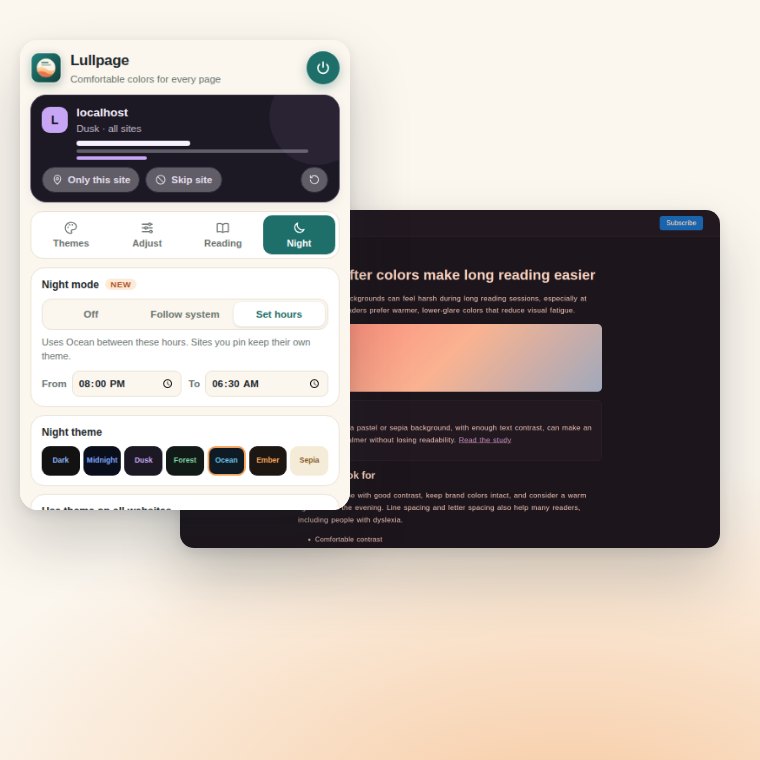
Switch to a night theme with your system's dark mode, or on hours you choose.
A soft amber layer that cuts blue light in the evening, on top of any theme.
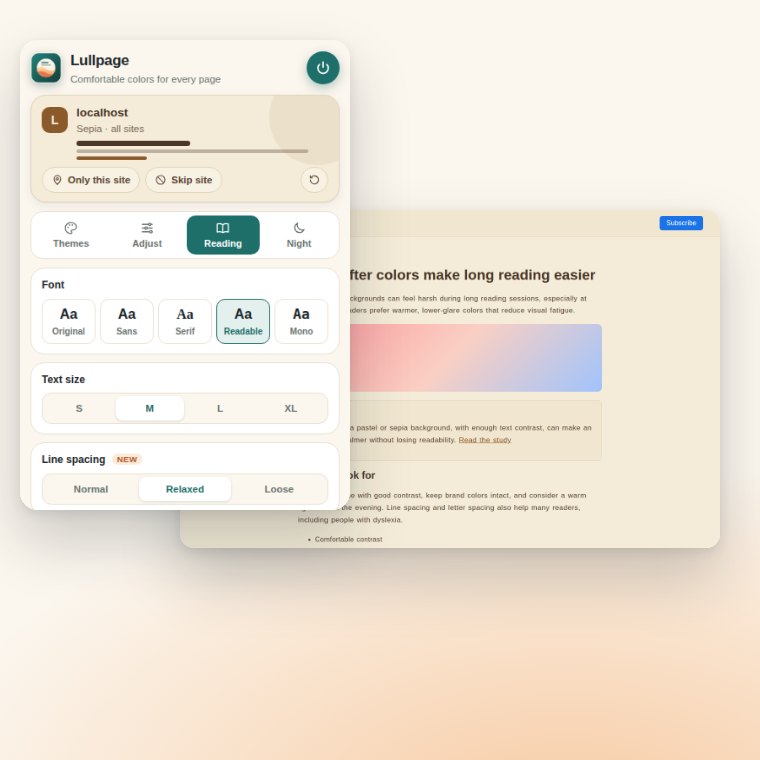
Readable font, 4 text sizes, and extra line and letter spacing for long articles.
Give one site its own theme, skip sites you want untouched, and manage every rule in one place.
Most dark mode extensions invert or dim the whole page, which washes out photos and turns brand colors strange. Lullpage checks each element's real color on your device and changes only the plain ones.
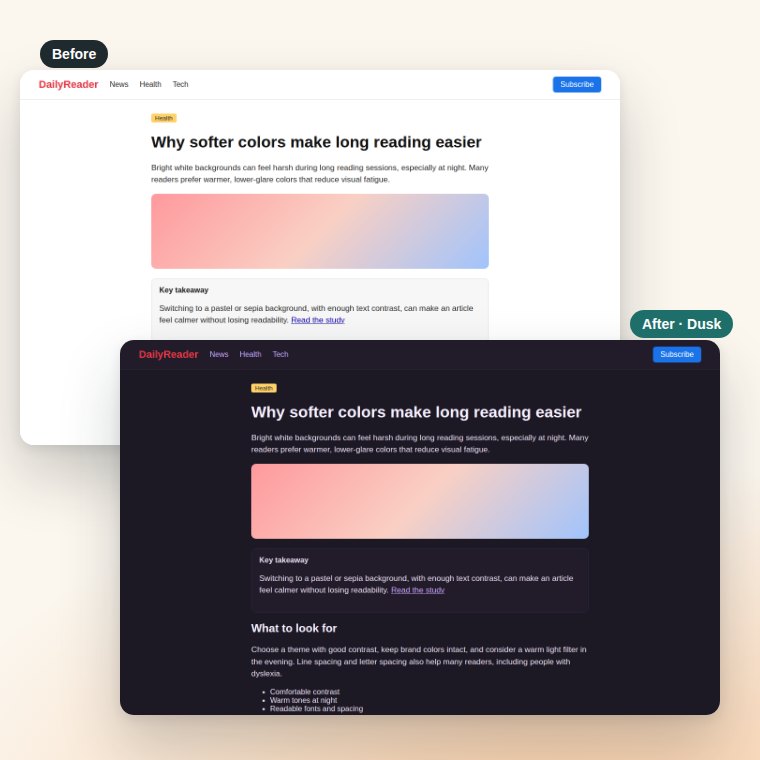
Install it free from the Chrome Web Store and pin it to your toolbar.
Choose Lull, Sepia, Dusk or any of 21 themes. It applies to every site instantly.
Pin a theme to one site, set night hours, add warm light or wider spacing.
Pick a night theme like Ember or Ocean and let Lullpage switch for you, either with your computer's dark mode or on hours you set. Add warm light to cut blue light before bed.
Change the font to a clear, readable face, make text bigger, and add extra line and letter spacing. Many readers, including some people with dyslexia, find wider spacing easier to follow.
| Feature | Lullpage | Typical dark mode extension |
|---|---|---|
| Pastel and sepia themes | 15 light + 6 dark themes | Mostly dark only |
| Keeps logos and brand colors | Yes, recolors plain areas only | Often inverts or dims everything |
| Night schedule | System or custom hours | Varies |
| Warm light (blue light) filter | Built in | Rare |
| Line and letter spacing | Built in | Rare |
| Data collection | None, works offline | Varies |
| Price | Free | Free or paid |
Lullpage is a free Chrome extension that gives any website a comfortable pastel, sepia or dark color theme. It only recolors plain white backgrounds and black text, so logos, photos and brand colors stay intact. It runs 100% on your device with no account and no tracking.
Install Lullpage from the Chrome Web Store, click its toolbar icon and pick a theme such as Lull, Lavender, Mint or Sepia. The theme applies to every website right away. To use a different theme on one site, click Only this site.
Dark Reader focuses on dark mode using page-wide filters. Lullpage offers 21 themes, including 12 pastel and 3 paper tones as well as 6 dark themes, and it recolors only plain areas, so logos, photos and brand-colored buttons look exactly as designed.
No. Lullpage has no account, no servers and no analytics, and it makes no network requests. Your settings are saved with Chrome's local storage on your own computer. See the privacy policy.
Yes. Open the Night tab and choose Follow system to use a night theme whenever your computer is in dark mode, or Set hours to pick times, for example 8:00 PM to 6:30 AM.
Yes. Lullpage is completely free, with no paid tier, no ads and no sign-up.
Free, private and ready in one click. Your favorite sites, in colors that feel good.
Add Lullpage to Chrome